AI Isn’t Coming — It’s Already Pair Programming with Me
A Technology Consultant's journey from skeptical observer to AI-powered developer. How GitHub Copilot Agent Mode changed my daily workflow building healthcare apps.
AI Isn’t Coming — It’s Already Pair Programming with Me
A Technology Consultant’s Journey from Skeptical Observer to AI-Powered Developer
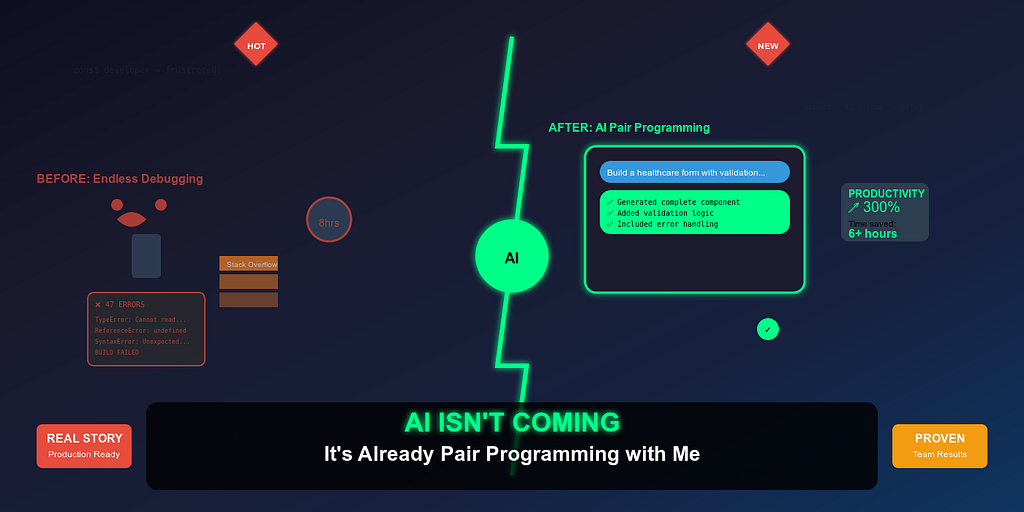
Six months ago, I would have rolled my eyes at this headline. As a Technology Consultant with 15+ years of experience leading frontend teams at Technogise, I’d seen enough overhyped tools come and go. GitHub Copilot sat quietly in my VS Code, occasionally suggesting a line completion that I’d accept with mild appreciation before moving on with my day.
Today, I’m writing entire features through conversation with an AI agent. And frankly, it’s changed not just how I code, but how I think about software development entirely.
The Evolution Beyond Autocomplete
Let’s be clear about where we are in 2025. AI in software development has moved far beyond the “smart autocomplete” phase. While most developers are still thinking of AI tools as glorified IntelliSense, GitHub Copilot’s Agent Mode represents something fundamentally different: conversational code generation.
This isn’t theoretical. This isn’t a demo. This is my daily reality working with React, React Native, TypeScript, and mono-repo architectures in production healthcare applications where HIPAA compliance isn’t optional and bugs have real consequences.
The shift happened when I realized I wasn’t just getting code suggestions — I was having architectural discussions with an AI that could implement its recommendations in real-time.
My Aha Moment: Building a Schema-Driven Form Engine
The feature request seemed straightforward enough: build a dynamic form rendering system using JSONForms that could handle complex healthcare data entry workflows. Cross-platform compatibility between web and React Native. Real-time validation. Accessibility compliance. The works.
In the old world, this would have meant:
- Days of architectural planning
- Creating boilerplate components
- Writing countless utility functions
- Debugging cross-platform quirks
- Iterating through multiple code reviews
Instead, I opened Copilot’s Agent Mode and started what felt like a design review session with a very smart junior developer who happened to write code at the speed of thought.
My prompt wasn’t “write a form component.”
It was more like this:
I need to build a schema-driven form engine for a healthcare app that works across web (React) and mobile (React Native with Expo).

Architecture requirements:
\- JSONForms as the core schema processor
\- Custom field renderers for healthcare-specific inputs (medication selectors, dosage calculators)
\- Real-time validation with custom business rules
\- Accessibility support (screen readers, keyboard navigation)
\- Theme-aware styling that matches our design system

Technical constraints:
\- TypeScript strict mode
\- Must integrate with our existing Redux store
\- Error boundaries for graceful failures
\- Test coverage for all custom renderers

The schema structure should support nested objects, conditional fields based on previous selections, and dynamic field arrays for things like "list all current medications."
Can you start with the core architecture and main form renderer component?
What happened next changed everything.
Copilot didn’t just generate a component. It created a complete architectural solution: the main form renderer, custom field components, validation hooks, accessibility utilities, and even suggested a folder structure that made sense for our mono-repo setup.
My role shifted from implementer to architect and reviewer. I was describing the business logic, explaining the constraints, and evaluating the AI’s architectural decisions. When something didn’t align with our patterns, I’d explain why, and it would adjust — learning our codebase conventions in real-time.
Within two days, we had a working, tested, production-ready feature that would have traditionally taken two weeks.
“The AI didn’t just write code — it helped me think through edge cases I hadn’t considered. It asked about error handling, suggested accessibility improvements, and even questioned some of my architectural decisions.”
— My reflection after the first Agent Mode project
The Team Transformation
Initially, my team used Copilot’s “Ask Mode” sporadically — mostly for quick syntax questions or debugging help. The conversation usually went:
Developer: “How do I fix this TypeScript error?” Copilot: Provides a solution Developer: Implements and moves on
After experiencing Agent Mode’s capabilities, I ran a 45-minute internal session demonstrating the difference between asking for help and collaborating on solutions.
The transformation was immediate. Within a week:
- Junior developers were tackling complex features with newfound confidence
- Senior developers were using AI to explore architectural alternatives before committing to approaches
- Code reviews became discussions about AI-generated patterns versus our established conventions
- Our sprint velocity increased by roughly 30% without sacrificing quality
Most importantly, we started discussing AI-generated code the same way we discuss human-authored code. No stigma, no “cheating” concerns — just honest evaluation of whether the solution was clean, maintainable, and correct.
“It’s like having a really smart intern who never gets tired and can implement any pattern I can describe clearly.”
— Senior Frontend Developer
Where Copilot Excels (And Where It Doesn’t)
After months of intensive use across our React, React Native, and Node.js stack, I’ve identified clear patterns:
Copilot Agent Mode Works Brilliantly When:
Your prompts are structured like design documents. The more context you provide about architecture, constraints, and business logic, the better the output. Think of it as onboarding a new team member who’s brilliant but knows nothing about your specific domain.
The technology stack is well-established. Our React/TypeScript/Redux patterns are well-represented in Copilot’s training data. It understands modern hooks patterns, knows about performance optimizations, and can navigate complex state management scenarios.
Tasks have clear scope and boundaries. “Build a medication dosage calculator with validation” works much better than “improve the user experience.” Specific requirements yield specific solutions.
You need to explore multiple approaches quickly. I regularly ask Copilot to show me 2–3 different architectural approaches for the same problem, then choose the best fit for our context.
Copilot Struggles When:
Prompts are vague or rushed. “Make this component better” produces generic improvements. “Optimize this component for performance while maintaining accessibility and adding loading states for async operations” produces targeted solutions.
Working with large, tightly-coupled codebases. While Copilot can work within existing patterns, it can’t reason about complex inter-module dependencies across a 100+ component system.
Business logic is implicit or undocumented. If you can’t explain the business rules clearly to a human, Copilot won’t infer them correctly either.
Prompt Engineering: Teaching an AI to Think Like Your Team
The most crucial skill I’ve developed isn’t coding — it’s prompt engineering. And I’ve realized that effective prompting resembles good technical leadership: clarity, context, and explicit expectations.
Before: Generic Prompting
"Create a user profile component"
Result: Generic component with basic fields, no integration with our patterns, doesn’t match our design system.
After: Contextual Prompting
"Create a user profile component for our healthcare platform that:

\- Follows our existing design system (MUI-based with custom theme)
\- Integrates with our Redux user slice
\- Handles avatar upload with image optimization
\- Includes form validation using react-hook-form
\- Supports both view and edit modes with smooth transitions
\- Meets WCAG accessibility standards
\- Includes loading states and error boundaries
\- Uses our existing API service patterns

The component should fit into our existing user management flow and match the patterns used in our UserSettings and AccountManagement components."
Result: Production-ready component that integrates seamlessly with our existing codebase.
The difference isn’t just in the output quality — it’s in the time saved on revisions and integration work.
Technical Leadership in the AI Era
This experience has fundamentally changed how I think about technical leadership. I now mentor both junior developers and AI agents, and the skills surprisingly overlap.
New Responsibilities Include:
Reviewing AI-generated pull requests with the same rigor as human-authored code. Just because an AI wrote it doesn’t mean it’s automatically correct or optimal. Code review processes remain crucial.
Shaping effective prompts across the team. I’ve started treating prompt patterns like coding standards — documenting what works, sharing effective templates, and helping team members improve their AI collaboration skills.
Validating architectural decisions made by AI. Copilot can suggest patterns and approaches, but human judgment is essential for evaluating long-term maintainability, performance implications, and business alignment.
Balancing AI assistance with developer growth. Junior developers still need to understand the fundamentals. AI should accelerate learning, not replace it.
The Reality Check: AI as a Team Member
Six months into this journey, Copilot has become the most productive member of my team. Not because it’s replacing human creativity or judgment, but because it’s amplifying human capabilities.
When I’m architecting a new feature, I’m no longer limited by implementation time. I can explore multiple approaches, prototype rapidly, and focus my mental energy on business logic and user experience rather than boilerplate code.
When my team encounters complex problems, we’re not just searching Stack Overflow or documentation. We’re having real-time conversations with an AI that understands our codebase patterns and can generate solutions tailored to our specific context.
“Our retrospectives have changed. Instead of discussing blockers and bottlenecks, we’re discussing which AI-generated patterns we want to adopt as team standards.”
— Scrum Master observation
The future isn’t AI replacing developers. The future is developers who embrace AI collaboration outpacing those who don’t.
My Challenge to You
If you’re reading this and thinking “this sounds too good to be true” or “this won’t work for my specific situation,” I have a simple challenge:
Pick one feature from your current backlog. Spend an hour with GitHub Copilot’s Agent Mode. Don’t just ask for code — have a conversation about architecture. Explain your constraints, describe your business logic, and see what happens.
Then reflect on how you felt during that hour. Were you frustrated by the tool’s limitations, or excited by its possibilities? Did you feel like you were cheating, or like you’d found a powerful new way to work?
That reflection will tell you everything you need to know about whether AI-assisted development fits into your workflow.
Conclusion: The Shift Is Already Here
I’m not writing about the future of software development. I’m writing about its present. Today, right now, AI agents are capable of being genuine pair programming partners for developers who know how to collaborate with them effectively.
The question isn’t whether AI will change software development — it already has. The question is whether you’ll be part of that change or left behind by it.
For me, there’s no going back. When I sit down to build a new feature, my first instinct isn’t to open a blank file and start typing. It’s to open a conversation with my AI pair programming partner and start designing.
And honestly? We build better software together than I ever did alone.
Also published on Medium